Author: cat_admin_usr

  • Best Practices for DevOps Adoption

    Best Practices for DevOps Adoption

    DevOps is more than just a set of tools—it is a cultural and operational transformation that enables teams to develop, test, and deploy software more efficiently. By adopting DevOps best practices, organizations can improve collaboration, automate workflows, enhance security, and accelerate delivery cycles. This guide explores essential DevOps best practices to help teams achieve higher efficiency, reliability, and innovation.

    1. Foster a Collaborative Culture

    A successful DevOps implementation begins with a culture of collaboration between development, operations, security, and business teams.

    Key Practices:

    • Encourage open communication and shared ownership of software development and deployment.
    • Break down silos between development and IT operations teams.
    • Use cross-functional teams to align business goals with technology.

    Benefits:

    • Faster issue resolution and reduced bottlenecks.
    • Improved team efficiency and shared accountability.
    • A culture of continuous learning and feedback.

    2. Implement Continuous Integration and Continuous Deployment (CI/CD)

    CI/CD is the backbone of DevOps, allowing teams to automate testing, integration, and deployment.

    Key Practices:

    • Use automated pipelines for building, testing, and deploying code.
    • Conduct frequent code integrations to catch and fix errors early.
    • Deploy software incrementally to reduce risks and improve stability.

    Benefits:

    • Faster time to market with frequent software releases.
    • Reduced chances of deployment failures.
    • Increased confidence in software quality.

    3. Adopt Infrastructure as Code (IaC)

    IaC enables teams to automate infrastructure provisioning using code instead of manual processes.

    Key Practices:

    • Use tools like Terraform, Ansible, and CloudFormation to define and manage infrastructure.
    • Version control infrastructure configurations just like application code.
    • Automate infrastructure deployment and scaling.

    Benefits:

    • Consistency across environments, reducing errors in production.
    • Faster infrastructure provisioning and disaster recovery.
    • Efficient resource management and cost savings.

    4. Automate Testing and Security (DevSecOps)

    Embedding security into DevOps—also known as DevSecOps—ensures that security is a priority throughout the software development lifecycle.

    Key Practices:

    • Integrate automated security scans and vulnerability testing into CI/CD pipelines.
    • Conduct static and dynamic application security testing (SAST & DAST).
    • Adopt a shift-left approach by implementing security measures early.

    Benefits:

    • Early detection of security vulnerabilities.
    • Compliance with industry security standards and regulations.
    • Improved software security without slowing down development.

    5. Monitor and Log Everything

    Monitoring and logging provide insights into system performance, security, and reliability.

    Key Practices:

    • Use real-time monitoring tools like Prometheus, Grafana, and Datadog.
    • Collect and analyze logs with ELK Stack, Splunk, or CloudWatch.
    • Set up automated alerts to proactively resolve incidents.

    Benefits:

    • Improved system observability and rapid issue resolution.
    • Enhanced security monitoring and compliance tracking.
    • Continuous optimization of system performance.

    6. Use Microservices Architecture

    Microservices help teams build scalable, modular, and resilient applications.

    Key Practices:

    • Decompose applications into small, independent services.
    • Use containerization with Docker and orchestration with Kubernetes.
    • Enable teams to deploy and update microservices independently.

    Benefits:

    • Increased development flexibility and scalability.
    • Faster software releases with reduced risks.
    • Better fault isolation and improved resilience.

    7. Leverage Cloud Computing

    Cloud services provide on-demand resources, scalability, and cost efficiency.

    Key Practices:

    • Use AWS, Azure, or Google Cloud to manage workloads.
    • Implement serverless computing to reduce infrastructure overhead.
    • Scale applications dynamically based on demand.

    Benefits:

    • Faster deployment of applications and services.
    • Cost-effective infrastructure management.
    • High availability and disaster recovery capabilities.

    8. Establish Feedback Loops and Continuous Learning

    DevOps thrives on continuous feedback and learning to drive improvements.

    Key Practices:

    • Conduct post-mortem reviews after incidents to learn from failures.
    • Use customer feedback to improve product quality.
    • Encourage ongoing training and upskilling of DevOps teams.

    Benefits:

    • Faster improvements in software quality and reliability.
    • Higher team engagement and knowledge sharing.
    • Continuous innovation and adaptability to market changes.

    9. Optimize for Performance and Scalability

    Scaling applications efficiently ensures optimal performance even during peak loads.

    Key Practices:

    • Conduct load testing and performance tuning.
    • Implement auto-scaling based on traffic patterns.
    • Optimize database performance and caching mechanisms.

    Benefits:

    • Improved user experience with high-performance applications.
    • Cost savings by scaling resources dynamically.
    • Reduced risk of system crashes during high-demand periods.

    10. Measure Success with Key DevOps Metrics

    Tracking DevOps metrics helps organizations assess performance and make data-driven decisions.

    Key Metrics:

    • Deployment Frequency: How often new code is deployed.
    • Lead Time for Changes: Time taken from code commit to production.
    • Mean Time to Recovery (MTTR): How quickly incidents are resolved.
    • Change Failure Rate: Percentage of deployments that cause failures.

    Benefits:

    • Data-driven insights for continuous improvements.
    • Faster problem resolution and improved development speed.
    • Better alignment with business objectives.

    Conclusion

    Adopting DevOps best practices is essential for organizations looking to accelerate software delivery, improve system reliability, and enhance security. By fostering collaboration, automating processes, and implementing continuous feedback loops, teams can drive innovation and operational efficiency.

    By following these best practices, businesses can achieve seamless DevOps adoption and stay ahead in an increasingly competitive digital landscape.

  • How to Adopt DevOps

    How to Adopt DevOps

    Adopting DevOps is a transformative process that requires a cultural shift, a strategic approach, and the right set of tools. Organizations must embrace automation, collaboration, continuous feedback, and iterative improvements to ensure seamless integration between development and operations teams. The key goal of DevOps adoption is to achieve faster software delivery, improved efficiency, and higher quality applications.

    By implementing DevOps, companies can bridge the traditional gaps between development, IT operations, and quality assurance, ultimately fostering a culture of continuous improvement. This guide outlines the critical steps and best practices to successfully adopt DevOps in any organization.

    Key Steps to Adopt DevOps

    1. Foster a DevOps Culture

    The foundation of DevOps adoption lies in fostering a collaborative and open culture between development, operations, and other stakeholders.

    • Key Activities:
      • Encourage cross-functional collaboration between developers, testers, and IT teams.
      • Shift from a siloed approach to a shared responsibility model.
      • Promote a blameless culture where failures are learning opportunities.
      • Regular communication through daily stand-ups, retrospectives, and continuous feedback loops.
    • Best Practices:
      • Organize DevOps workshops and training for teams.
      • Encourage leadership to champion the DevOps transformation.
      • Use metrics to measure collaboration and efficiency improvements.

    2. Embrace Agile and Lean Practices

    Agile methodologies play a crucial role in DevOps adoption by promoting iterative development, fast feedback loops, and adaptability.

    • Key Activities:
      • Implement Agile frameworks like Scrum, Kanban, or SAFe.
      • Break down development tasks into smaller, manageable increments.
      • Conduct daily stand-up meetings and sprint planning.
      • Emphasize continuous feedback to improve processes.
    • Best Practices:
      • Encourage a mindset of continuous learning and iterative improvements.
      • Use tools like Jira, Trello, or Azure DevOps to manage Agile workflows.
      • Prioritize customer feedback in development cycles.

    3. Implement Continuous Integration (CI) and Continuous Deployment (CD)

    A core component of DevOps is CI/CD, which enables automation, quick releases, and minimal manual intervention.

    • Key Activities:
      • Set up automated build, test, and deployment pipelines.
      • Integrate version control systems like Git, GitHub, or GitLab.
      • Automate code validation using unit tests, security checks, and integration tests.
    • Best Practices:
      • Use Jenkins, GitHub Actions, GitLab CI/CD, or CircleCI for pipeline automation.
      • Implement feature flags to enable safe, controlled rollouts.
      • Optimize deployment strategies with blue-green deployments and canary releases.

    4. Adopt Infrastructure as Code (IaC)

    Infrastructure as Code (IaC) allows teams to automate infrastructure provisioning, leading to more scalable, reliable, and consistent deployments.

    • Key Activities:
      • Use IaC tools like Terraform, Ansible, Puppet, and CloudFormation.
      • Define infrastructure configurations as version-controlled code.
      • Automate infrastructure provisioning and scaling.
    • Best Practices:
      • Implement immutable infrastructure to reduce configuration drift.
      • Leverage cloud providers like AWS, Azure, and Google Cloud for dynamic provisioning.
      • Maintain consistent environments across development, testing, and production.

    5. Automate Testing and Security (DevSecOps)

    Automated testing ensures software quality, while security integration (DevSecOps) enhances compliance and risk management.

    • Key Activities:
      • Use automated testing frameworks like Selenium, JUnit, TestNG, and Cypress.
      • Implement security checks at every stage of development.
      • Conduct static and dynamic security analysis to detect vulnerabilities early.
    • Best Practices:
      • Shift-left security by integrating security tests into CI/CD pipelines.
      • Use vulnerability scanning tools like SonarQube, OWASP ZAP, and Snyk.
      • Regularly update dependencies and apply security patches.

    6. Monitor and Log Everything

    Real-time monitoring and centralized logging provide insights into system health, performance, and security.

    • Key Activities:
      • Implement real-time monitoring and alerting.
      • Collect logs and analyze application performance.
      • Conduct post-incident analysis to enhance system resilience.
    • Best Practices:
      • Use Prometheus, Grafana, and ELK Stack for observability.
      • Set up automated alerts and dashboards.
      • Implement AIOps (Artificial Intelligence for IT Operations) for proactive issue detection.

    7. Encourage Continuous Learning and Improvement

    DevOps is an evolving practice, requiring teams to embrace innovation, learn from failures, and iterate on improvements.

    • Key Activities:
      • Conduct retrospective meetings after each sprint.
      • Invest in ongoing DevOps training and certifications.
      • Encourage participation in DevOps communities and industry events.
    • Best Practices:
      • Foster a culture of continuous experimentation.
      • Regularly update DevOps workflows based on feedback and industry trends.
      • Encourage knowledge sharing through internal documentation and wikis.

    Common Challenges in DevOps Adoption and Solutions

    1. Resistance to Change

    • Challenge: Teams may resist DevOps adoption due to fear of new processes.
    • Solution: Provide proper training, leadership support, and gradual transitions.

    2. Skill Gaps in DevOps Tools

    • Challenge: Teams may lack expertise in automation, CI/CD, and cloud technologies.
    • Solution: Invest in certifications, workshops, and mentorship programs.

    3. Poor Collaboration Between Teams

    • Challenge: Lack of alignment between development, security, and operations teams.
    • Solution: Use collaborative tools like Slack, Confluence, and Microsoft Teams.

    4. Security and Compliance Risks

    • Challenge: DevOps automation can introduce security vulnerabilities.
    • Solution: Implement DevSecOps, enforce access controls, and conduct regular security audits.

    5. Tool Overload and Complexity

    • Challenge: Over-reliance on multiple DevOps tools can cause confusion.
    • Solution: Standardize toolchains and establish best practices for tool usage.

    Conclusion

    Adopting DevOps is a transformational journey that requires strategic planning, the right tools, and a cultural shift. By fostering collaboration, automating processes, and implementing continuous monitoring, organizations can significantly improve software delivery speed, reliability, and security.

    Following the outlined steps and best practices will help teams successfully transition to a DevOps-driven environment, ensuring higher efficiency, innovation, and customer satisfaction.

  • Automated Testing in DevOps

    Automated Testing in DevOps

    Automated testing is a critical component of DevOps, ensuring software quality, reliability, and speed in the development lifecycle. By integrating automated testing into Continuous Integration/Continuous Deployment (CI/CD) pipelines, teams can quickly detect and resolve issues, reducing manual intervention and accelerating delivery.

    What is Automated Testing?

    Automated testing refers to the use of specialized tools and scripts to execute pre-defined test cases without human intervention. It plays a vital role in verifying code functionality, detecting bugs, and ensuring that software meets business requirements.

    Key Benefits of Automated Testing in DevOps:

    • Faster Development Cycles: Reduces testing time and speeds up releases.
    • Improved Accuracy: Eliminates human errors in testing.
    • Cost Efficiency: Reduces manual testing efforts and associated costs.
    • Continuous Feedback: Provides instant feedback to developers.
    • Scalability: Supports large-scale and frequent testing with minimal effort.

    Types of Automated Testing in DevOps

    Various testing methods are used in DevOps to ensure software quality:

    1. Unit Testing

    • Tests individual components or functions.
    • Tools: JUnit, TestNG, NUnit, PyTest.

    2. Integration Testing

    • Validates interactions between multiple components.
    • Tools: Postman, SoapUI, Citrus, Pact.

    3. Functional Testing

    • Ensures that software meets functional requirements.
    • Tools: Selenium, Cypress, Robot Framework.

    4. Performance Testing

    • Evaluates system performance under different conditions.
    • Tools: JMeter, Gatling, Locust.

    5. Security Testing

    • Identifies vulnerabilities and ensures security compliance.
    • Tools: OWASP ZAP, SonarQube, Snyk.

    6. Regression Testing

    • Verifies that new changes do not break existing functionality.
    • Tools: Selenium, TestComplete, Katalon Studio.

    7. Acceptance Testing

    • Ensures software meets business requirements before deployment.
    • Tools: Cucumber, FitNesse, Behave.

    Automated Testing in CI/CD Pipelines

    In DevOps, automated testing is integrated into the CI/CD pipeline to maintain continuous software quality.

    Stages of Automated Testing in CI/CD:

    1. Code Commit & Build
      • Developers commit changes to the repository.
      • CI tools trigger an automated build.
    2. Unit Testing
      • Runs unit tests to validate individual components.
    3. Integration & API Testing
      • Ensures different modules work together.
    4. Functional & Regression Testing
      • Verifies application behavior and existing functionality.
    5. Performance & Security Testing
      • Detects performance bottlenecks and security flaws.
    6. Deployment & Monitoring
      • Deploys tested code to staging/production.
      • Monitors performance and logs for errors.

    Best Practices for Automated Testing in DevOps

    To maximize efficiency, follow these best practices:

    1. Shift Left Testing: Start testing early in the development cycle.
    2. Use Parallel Execution: Run tests in parallel to speed up execution.
    3. Maintain Test Scripts: Regularly update and optimize automated test cases.
    4. Integrate Testing in CI/CD Pipelines: Ensure tests are automated in build and deployment processes.
    5. Monitor Test Results Continuously: Use reporting tools to analyze and improve test effectiveness.
    6. Adopt Test-Driven Development (TDD): Write tests before writing code.
    7. Leverage Cloud Testing Services: Use cloud-based platforms for scalability and accessibility.

    Automated Testing Tools in DevOps

    Several tools help streamline automated testing in DevOps workflows:

    • Selenium: Open-source web application testing.
    • JMeter: Performance and load testing.
    • JUnit/TestNG: Unit testing for Java applications.
    • Postman: API testing and automation.
    • Cucumber: Behavior-driven testing framework.
    • OWASP ZAP: Security testing and vulnerability scanning.
    • GitLab CI/CD: Built-in CI/CD pipeline testing.
    • Jenkins: Popular CI/CD automation tool with test integration.

    Conclusion

    Automated testing is an essential part of DevOps, ensuring software quality, accelerating development, and enabling continuous delivery. By implementing best practices and using the right tools, teams can achieve reliable, efficient, and scalable testing, leading to better software outcomes.

  • What Is DevOps Lifecycle?

    What Is DevOps Lifecycle?

    The DevOps lifecycle is a structured approach that integrates development (Dev) and operations (Ops) teams to enhance software delivery, automation, and collaboration. By leveraging a continuous and iterative workflow, the DevOps lifecycle ensures rapid, reliable, and scalable application development and deployment. It promotes automation, monitoring, and feedback loops, allowing organizations to achieve faster releases, improved efficiency, and high-quality software.

    DevOps is not just a methodology but a cultural shift that bridges the gap between development, testing, and IT operations, promoting seamless collaboration and automation. The lifecycle is designed to enhance software stability, security, and scalability, ensuring continuous improvement and high availability of applications in modern IT environments.

    Phases of the DevOps Lifecycle

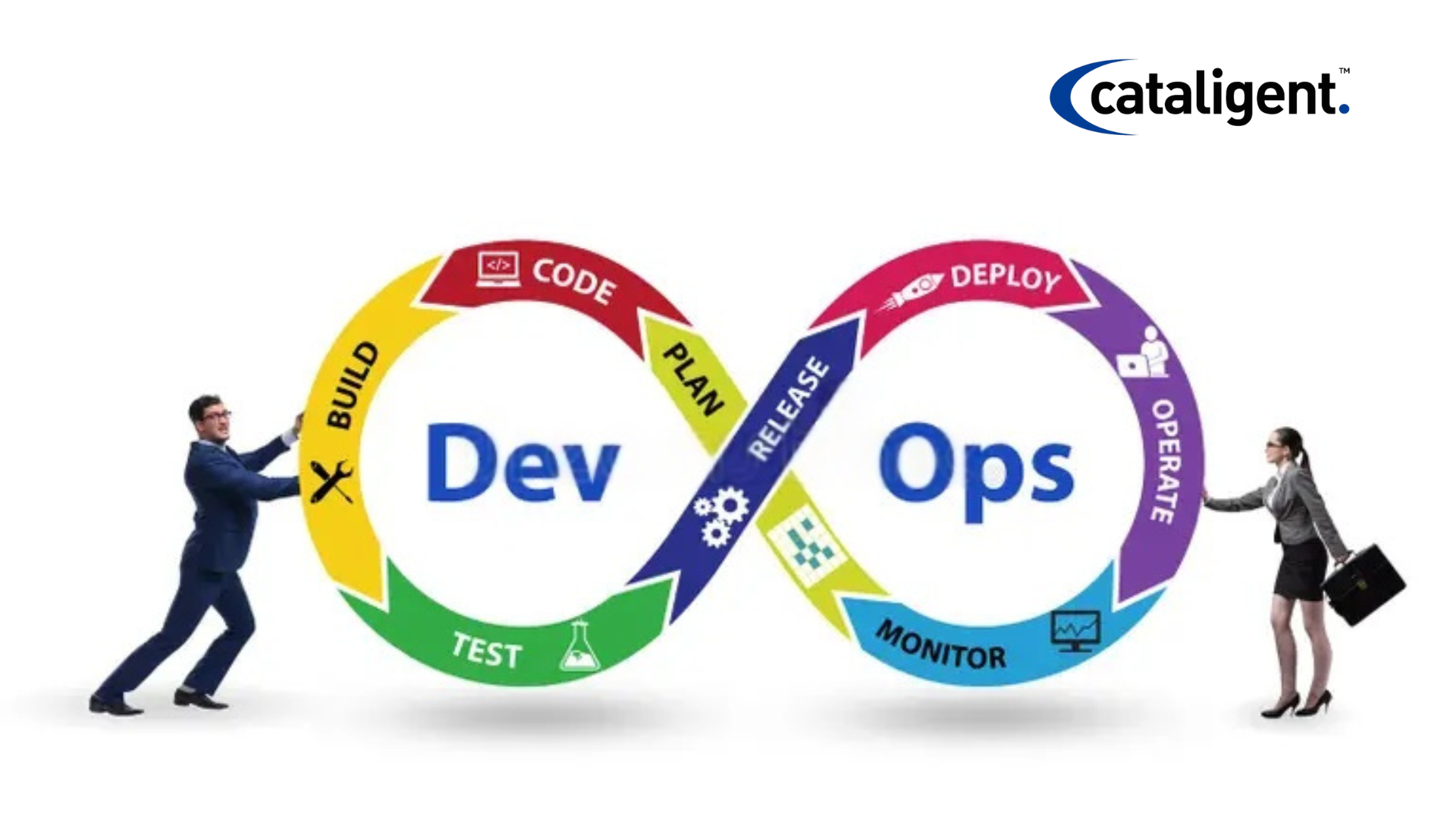
    The DevOps lifecycle consists of several interconnected phases, each focusing on a distinct aspect of software development and operations. These phases create a continuous feedback loop, enabling rapid iterations and ensuring efficiency and performance improvements.

    1. Plan

    The planning phase is the foundation of the DevOps lifecycle. It involves defining the project scope, objectives, and development roadmap. Effective planning ensures clear alignment between business goals and technical requirements, setting the stage for smooth execution.

    • Key Activities:
      • Requirement gathering and analysis
      • Defining the project scope and milestones
      • Setting key performance indicators (KPIs)
      • Prioritizing tasks using Agile methodologies like Scrum or Kanban
      • Risk assessment and mitigation planning
    • Tools Used:
      • Jira, Trello, Confluence, Asana
      • Microsoft Azure DevOps, GitHub Projects

    2. Develop

    The development phase involves writing, reviewing, and committing code to a version control system (VCS). DevOps emphasizes collaborative development, automation, and integration to speed up the software delivery pipeline.

    • Key Activities:
      • Writing and reviewing code
      • Using Infrastructure as Code (IaC) for automation
      • Implementing feature branching strategies (e.g., Git Flow)
      • Unit and integration testing to catch early-stage defects
      • Automating code linting and security checks
    • Tools Used:
      • Git, GitHub, GitLab, Bitbucket
      • Integrated Development Environments (IDEs) such as VS Code, IntelliJ IDEA, Eclipse
      • Static code analysis tools like SonarQube, ESLint

    3. Build

    The build phase involves compiling the source code, resolving dependencies, and creating deployable artifacts. Automation in this phase ensures consistent and reproducible builds, reducing errors and inconsistencies.

    • Key Activities:
      • Compiling and packaging code
      • Running automated unit tests and static analysis
      • Generating deployable artifacts (e.g., Docker images, JARs, WARs)
      • Managing dependencies and resolving conflicts
    • Tools Used:
      • Maven, Gradle, Jenkins, Travis CI, GitHub Actions
      • Docker for containerization

    4. Test

    Testing is a crucial phase to ensure software quality, security, and performance. A comprehensive testing strategy includes unit, integration, functional, regression, and performance testing.

    • Key Activities:
      • Automated testing for code validation
      • Load and stress testing for performance evaluation
      • Security and compliance testing (DevSecOps integration)
      • Functional and UI testing
    • Tools Used:
      • Selenium, JUnit, TestNG, Postman
      • JMeter, SonarQube, OWASP ZAP, Burp Suite
      • Cucumber for behavior-driven development (BDD)

    5. Release

    Once the software passes all tests, it moves into the release phase. This step involves versioning, approval workflows, and deployment planning. CI/CD pipelines help automate this process, ensuring smooth and error-free releases.

    • Key Activities:
      • Creating and managing software versions
      • Deployment approval and rollback planning
      • Implementing release automation for efficiency
    • Tools Used:
      • Jenkins, CircleCI, GitLab CI/CD, AWS CodePipeline
      • Helm (for Kubernetes deployments)

    6. Deploy

    Deployment involves releasing the software into production or staging environments. Continuous Deployment (CD) automates this process, reducing manual intervention and ensuring seamless software rollouts.

    • Key Activities:
      • Deploying applications to cloud or on-premises environments
      • Implementing Blue-Green Deployment and Canary Releases
      • Ensuring minimal downtime with rolling updates
      • Monitoring and validating post-deployment performance
    • Tools Used:
      • Kubernetes, Docker, AWS CodeDeploy
      • Terraform, Ansible, Chef, Puppet

    7. Operate

    The operation phase ensures that the deployed application runs smoothly in production. It focuses on infrastructure management, performance monitoring, and security.

    • Key Activities:
      • Real-time infrastructure monitoring
      • Log management and troubleshooting
      • Security audits and compliance checks
      • Scaling and optimizing cloud infrastructure
    • Tools Used:
      • Prometheus, Grafana, ELK Stack (Elasticsearch, Logstash, Kibana)
      • Datadog, Splunk, New Relic, CloudWatch

    8. Monitor & Feedback

    Continuous monitoring and feedback ensure that any potential issues are detected and addressed promptly. By analyzing performance metrics and user feedback, teams can refine the software and infrastructure.

    • Key Activities:
      • Monitoring system performance and health
      • Incident management and root cause analysis
      • Implementing proactive security measures
      • Collecting user feedback for future improvements
    • Tools Used:
      • Nagios, Zabbix, Splunk
      • ServiceNow, PagerDuty, OpsGenie

    Benefits of the DevOps Lifecycle

    Adopting a structured DevOps lifecycle offers several advantages:

    • Accelerated Software Delivery: Continuous integration and automation speed up development cycles.
    • Improved Collaboration: Bridges the gap between development and operations teams.
    • Higher Software Quality: Automated testing reduces defects and enhances reliability.
    • Scalability & Flexibility: Supports rapid scaling of applications and infrastructure.
    • Enhanced Security & Compliance: Integrates security best practices throughout the lifecycle.
    • Reduced Operational Costs: Automating repetitive tasks minimizes manual effort and resource usage.

    Best Practices for Implementing DevOps Lifecycle

    To optimize the DevOps lifecycle, organizations should follow these best practices:

    • Adopt Agile Methodologies: Use Agile principles to ensure iterative development and adaptability.
    • Implement CI/CD Pipelines: Automate code integration, testing, and deployment for seamless delivery.
    • Use Infrastructure as Code (IaC): Automate infrastructure management with tools like Terraform and Ansible.
    • Enhance Security with DevSecOps: Integrate security at every phase of the development lifecycle.
    • Monitor Continuously: Use real-time monitoring to detect and resolve issues before they impact users.
    • Foster a Collaborative Culture: Encourage communication between Dev, Ops, and QA teams to improve efficiency.

    Conclusion

    The DevOps lifecycle is a comprehensive framework that enables organizations to develop, test, deploy, and manage software efficiently. By integrating automation, collaboration, and monitoring, DevOps enhances software quality, scalability, and security while reducing time-to-market. Implementing DevOps best practices ensures high availability, reliability, and performance, making it an essential approach for modern IT teams.

  • Version Control in DevOps

    Version Control in DevOps

    Version control is a crucial component of the DevOps lifecycle, enabling teams to collaborate efficiently, track changes, and maintain the integrity of their codebase. With the increasing complexity of software development, version control systems (VCS) help in managing changes across multiple developers, ensuring smooth integration and deployment.

    What is Version Control?

    Version control, also known as source control, is a system that records changes to a file or set of files over time. It allows developers to:

    • Track modifications and revert to previous versions when necessary.
    • Collaborate efficiently without overwriting each other’s work.
    • Maintain a backup of the entire codebase.
    • Identify and fix bugs by comparing different versions.

    Importance of Version Control in DevOps

    DevOps emphasizes continuous integration, continuous delivery (CI/CD), and automation, making version control indispensable for:

    • Collaboration: Enables multiple developers to work on the same project without conflicts.
    • Traceability: Maintains a history of code changes, helping in auditing and compliance.
    • Rollback and Recovery: Quickly revert to a stable version in case of failures.
    • Automation and CI/CD Integration: Seamless integration with DevOps tools like Jenkins, GitHub Actions, GitLab CI/CD, and Bitbucket Pipelines.
    • Branching and Merging: Facilitates parallel development and efficient code integration.

    Types of Version Control Systems

    Version control systems can be broadly categorized into:

    1. Centralized Version Control Systems (CVCS)

    In CVCS, a single server hosts the repository, and developers check out files from the central location.

    Examples:

    • Apache Subversion (SVN)
    • Microsoft Team Foundation Version Control (TFVC)

    Pros:

    • Easier administration.
    • Single source of truth.

    Cons:

    • If the central server goes down, access to the code is lost.
    • Higher risk of data loss.

    2. Distributed Version Control Systems (DVCS)

    In DVCS, each developer has a complete copy of the repository, making the system more resilient.

    Examples:

    • Git (Most widely used)
    • Mercurial
    • Bazaar

    Pros:

    • Offline access to the repository.
    • Better performance and fault tolerance.
    • Easier branching and merging.

    Cons:

    • Requires more local storage.
    • Slightly steeper learning curve.

    Git: The Most Popular Version Control System

    Git is the most widely used distributed version control system, adopted by companies worldwide due to its flexibility, efficiency, and integration with DevOps tools.

    Key Features of Git:

    • Branching and Merging: Enables parallel development.
    • Distributed Development: Every developer has a complete copy of the repository.
    • Commit History: Tracks changes efficiently.
    • Collaboration Tools: Works seamlessly with platforms like GitHub, GitLab, and Bitbucket.

    Common Git Commands:

    • git init – Initializes a new Git repository.
    • git clone – Clones a remote repository.
    • git add – Adds changes to the staging area.
    • git commit -m “message” – Commits changes with a message.
    • git push – Pushes changes to the remote repository.
    • git pull – Fetches changes from the remote repository.
    • git merge – Merges branches.
    • git branch – Lists, creates, or deletes branches.

    Version Control Best Practices in DevOps

    To leverage version control effectively in DevOps, follow these best practices:

    1. Use Feature Branching:
      • Keep the main branch stable and use feature branches for development.
      • Merge code only after review and testing.
    2. Follow a Consistent Naming Convention:
      • Use descriptive names for branches (e.g., feature-login, bugfix-404-error).
    3. Commit Early and Often:
      • Make small, frequent commits with meaningful messages.
    4. Use Code Reviews and Pull Requests:
      • Implement peer code reviews to maintain code quality.
      • Use pull requests for controlled merging.
    5. Automate Testing and Deployment:
      • Integrate version control with CI/CD pipelines.
      • Use automated tests to catch issues early.
    6. Maintain a Clean Repository:
      • Remove obsolete branches.
      • Use .gitignore to exclude unnecessary files.
    7. Backup Regularly:
      • Ensure repositories are backed up to avoid data loss.

    Version Control Tools in DevOps

    Several tools integrate version control with CI/CD, security, and automation in DevOps environments. Some key tools include:

    • GitHub: Cloud-based Git repository hosting service with built-in CI/CD tools.
    • GitLab: Provides DevOps features like issue tracking, CI/CD, and security testing.
    • Bitbucket: Supports Git and Mercurial, integrates with Jira.
    • SVN (Subversion): Centralized version control system for enterprise use.
    • Perforce Helix Core: Version control for large-scale projects.

    Conclusion

    Version control is an essential pillar of DevOps, ensuring seamless collaboration, automated deployments, and efficient issue tracking. By integrating robust VCS tools like Git with CI/CD pipelines, teams can enhance productivity, minimize risks, and accelerate software delivery.

    By adopting best practices, such as feature branching, automated testing, and proper repository management, organizations can fully leverage version control for successful DevOps implementation.

  • Continuous Integration/Continuous Deployment (CI/CD) in DevOps

    Continuous Integration/Continuous Deployment (CI/CD) in DevOps

    Developing apps of exceptional quality at rapid pace is becoming a need rather than an amenity in the frantic software development environment of nowadays. This is where Continuous Integration/Continuous Deployment (CI/CD), a cornerstone of DevOps, steps in. CI/CD empowers development teams to automate and streamline their software delivery process, resulting in faster release cycles, reduced risks, and improved product quality. This blog post will delve into the intricacies of CI/CD, exploring its benefits, components, implementation strategies, and best practices.

    What is CI/CD?

    Continuous Integration (CI) is a development practice where developers regularly merge their code changes into a central repository, 1 ideally multiple times a day. Each merge triggers an automated build and test sequence, verifying the changes and detecting integration issues early. The goal of CI is to prevent integration problems, often referred to as “integration hell,” by identifying and resolving conflicts as soon as they arise.  

    Continuous Deployment (CD) builds upon CI by automating the release process. Changes that pass the automated tests are automatically deployed to various environments, including staging and production. CD aims to minimize human intervention in the deployment process, making releases faster, more frequent, and less prone to errors. Sometimes, the term Continuous Delivery is used, which means that the code can be deployed at any time, but it may require manual approval. CD is the fully automated version.

    CI and CD are often combined into a single pipeline, known as the CI/CD pipeline, which automates the entire software delivery lifecycle, from code commit to production deployment.

    What Are The Benefits of CI/CD

    Implementing CI/CD offers a multitude of benefits for development teams and organizations:

    • Faster Time to Market: Automation accelerates the release cycle, enabling organizations to deliver new features and updates to users more quickly.
    • Reduced Risk: Automated testing and frequent integration minimize the risk of introducing bugs and integration issues.
    • Improved Quality: Continuous feedback and automated testing help identify and resolve defects early, leading to higher quality software.
    • Increased Efficiency: Automation eliminates manual tasks, freeing up developers to focus on more strategic work.
    • Enhanced Collaboration: CI/CD fosters collaboration between development, operations, and testing teams.
    • Greater Reliability: Automated deployments reduce the risk of human error, leading to more reliable releases.
    • Faster Feedback Loops: CI/CD provides rapid feedback on code changes, allowing developers to quickly identify and address issues.
    • Improved Customer Satisfaction: Faster releases and higher quality translate to happier customers.
    • Reduced Costs: Automation reduces manual effort and minimizes the cost of fixing bugs and integration issues.

    Key Components of a CI/CD Pipeline

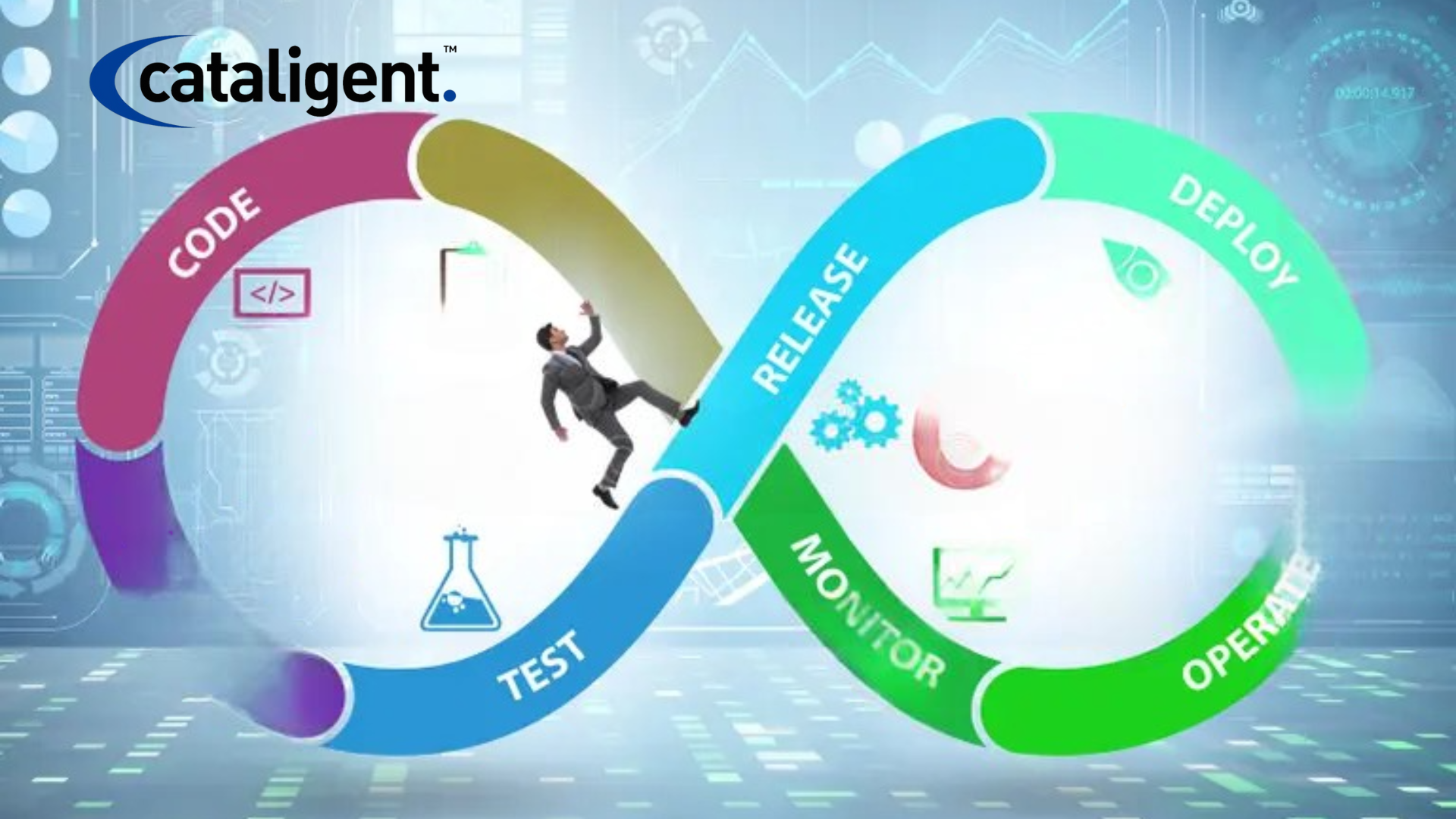
    A typical CI/CD pipeline consists of several stages:

    • Code: The initial stage where developers write and commit code to a version control system like Git.
    • Build: This stage compiles the code and creates executable artifacts, such as binaries or containers.
    • Test: Automated tests are executed to verify the code’s functionality and identify any defects. This can include unit tests, integration tests, end-to-end tests, and performance tests.
    • Release: The built artifacts are packaged and prepared for deployment.
    • Deploy: The release is deployed to various environments, such as development, staging, and production.
    • Monitor: The deployed application is monitored for performance and stability. Continuous Monitoring is crucial for identifying issues in production.

    Implementing CI/CD: Best Practices

    Successful CI/CD implementation requires careful planning and execution. Here are some best practices to consider:

    • Version Control: Use a robust version control system like Git to track code changes.
    • Automated Testing: Implement a comprehensive suite of automated tests to ensure code quality.
    • Build Automation: Automate the build process using tools like Jenkins, GitLab CI, or CircleCI.
    • Continuous Integration: Integrate code changes frequently and automatically trigger builds and tests.
    • Continuous Deployment: Automate the release and deployment process to minimize manual intervention.
    • Infrastructure as Code (IaC): Manage and provision infrastructure using code to ensure consistency and repeatability.
    • Containerization: Use container technologies like Docker to package applications and their dependencies for consistent deployment across environments.
    • Microservices Architecture: Break down applications into smaller, independent services to facilitate independent deployments.
    • Monitoring and Logging: Implement robust monitoring and logging to track application performance and identify issues.
    • Feedback Loops: Establish clear feedback loops between development, operations, and testing teams.
    • Security Integration: Incorporate security checks throughout the CI/CD pipeline to ensure application security. This is often referred to as DevSecOps.

    CI/CD Tools

    A wide range of tools are available to support CI/CD implementation:

    • Version Control: Git, GitLab, Bitbucket
    • CI/CD Platforms: Jenkins, GitLab CI, CircleCI, GitHub Actions, Azure DevOps, AWS CodePipeline
    • Build Tools: Maven, Gradle, npm, yarn
    • Testing Frameworks: JUnit, pytest, Selenium, Cypress
    • Containerization: Docker, Kubernetes
    • Infrastructure as Code: Terraform, Ansible, CloudFormation
    • Monitoring Tools: Prometheus, Grafana, Datadog, New Relic

    Challenges and Considerations

    Implementing CI/CD can present some challenges:

    • Resistance to Change: Teams may be resistant to adopting new processes and tools.
    • Complex Systems: Integrating CI/CD into complex legacy systems can be challenging.
    • Testing Complexity: Developing and maintaining a comprehensive suite of automated tests can be time-consuming.
    • Security Concerns: Ensuring application security throughout the CI/CD pipeline is crucial.

    Conclusion

    CI/CD is a powerful methodology that enables organizations to deliver high-quality software faster and more reliably. By automating the software delivery process, CI/CD empowers development teams to focus on innovation and deliver value to customers more quickly. While implementing CI/CD requires careful planning and execution, the benefits are significant, making it an essential practice for any organization looking to thrive in today’s competitive software landscape. By embracing DevOps principles and adopting CI/CD best practices, companies can unlock new levels of agility, efficiency, and customer satisfaction. The journey to continuous improvement is ongoing, and CI/CD provides the framework for achieving that goal.